Goodtime: Pomodoro Timer3.2.6
Publisher Description



Minimalist focus timer for deep work & study | pomodoro & time tracking
🧠
Achieve Focus & Boost Productivity - Simple, Private, Open-Source.
Goodtime is an indie open-source minimalist productivity timer - lightweight, ad-free and tracking-free.
Perfect for students needing a study timer, professionals seeking deep work and time management, and anyone fighting distractions and procrastination.
Productivity Modes
🍅
Pomodoro Timer
: Work in structured focus sessions followed by short breaks to keep your mind sharp. Boost study efficiency.
☕
Longer Breaks
: Take longer breaks after several pomodoro sessions to fully recharge and maintain a high level of productivity.
⏳
Count-up Flow Timer
: Track your uninterrupted time and accumulate a break budget as you reach a flow state. Take a break when ready.
Control & Time Tracking
Configurable Timer
: Match the timer to your preferred workflow. Pause, skip, or add extra time with intuitive swipe gestures.
Minimalist Design
: Clean interface helps you focus without distractions.
Detailed Statistics
: Track your accumulated focus time and quantify your productivity. Set a daily reminder and customize the start of the day/week.
Focus Protection
: Use Do Not Disturb mode during study sessions.
Premium Features
Labels & Customization
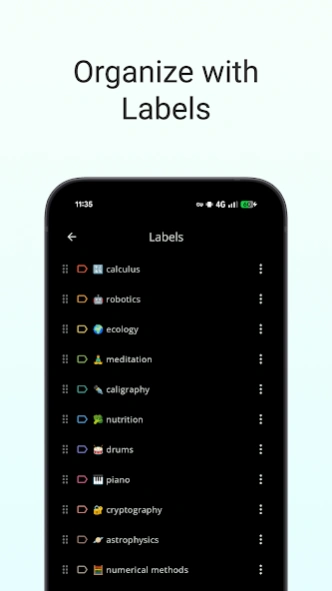
: Assign colored labels, archive, and fully customize the timer display.
Pro Statistics
: Label-based visualization, manual session editing, and notes.
Backup & Export
Advanced Alerts
: Screen flash, torch, and persistent notifications.
Picture-in-picture
About Goodtime: Pomodoro Timer
The company that develops Goodtime: Pomodoro Timer is goodtime.tools. The latest version released by its developer is 3.2.6.
To install Goodtime: Pomodoro Timer on your Android device, just click the green Continue To App button above to start the installation process. The app is listed on our website since 2026-08-05 and was downloaded 41 times. We have already checked if the download link is safe, however for your own protection we recommend that you scan the downloaded app with your antivirus. Your antivirus may detect the Goodtime: Pomodoro Timer as malware as malware if the download link to com.apps.adrcotfas.goodtime is broken.
How to install Goodtime: Pomodoro Timer on your Android device:
- Click on the Continue To App button on our website. This will redirect you to Google Play.
- Once the Goodtime: Pomodoro Timer is shown in the Google Play listing of your Android device, you can start its download and installation. Tap on the Install button located below the search bar and to the right of the app icon.
- A pop-up window with the permissions required by Goodtime: Pomodoro Timer will be shown. Click on Accept to continue the process.
- Goodtime: Pomodoro Timer will be downloaded onto your device, displaying a progress. Once the download completes, the installation will start and you'll get a notification after the installation is finished.
Program Details
System requirements
Download information
Pricing
Version History
version 3.2.6
posted on 2026-08-05
• The timer now shows hours for sessions longer than 60 minutes
• Added a start break action to the count-up timer notification
• Improved the reliability of the session finished notification
• Updated translations
version 3.2.6
posted on 2026-08-05
• The timer now shows hours for sessions longer than 60 minutes
• Added a start break action to the count-up timer notification
• Improved the reliability of the session finished notification
• Updated translations
version 3.2.3
posted on 2026-07-15
What's new:
• Floating Picture-in-Picture timer with pause, skip and next-session controls
• Stability: sessions are recovered if the system closes the app in the background
• Add idle time for breaks too in the session finished dialog
• Faster startup and smoother timer updates
• Improved statistics charts and onboarding
version 3.1.2
posted on 2026-01-16
Features and changes:
- auto cloud backups to Google Drive
- disabled pausing of breaks for count-up profiles
Bugfixes:
- session counter not getting incremented when keeping the app in the foreground
- finished session notifications were not cleared in autostart mode
- a more robust sound/vibration/torch at the end of a session to mitigate flaky behavior
version 3.1.3
posted on 2026-01-16
Bugfixes:
- sound, vibration and torch would sometimes be lost at the end of a session
- fixed potential "app not responding" at the end of a session
- selecting a custom sound from the picker would not play
version 3.0.15
posted on 2025-11-20
The new release comes with:
- Live Update notification support
- ducking background audio when the notification sound is triggered
- an even smaller app size
- some minor UI polishing along with translation updates
- app stability improvements.
version 3.0.14
posted on 2025-08-29
- reintroduced timer profiles and a few predefined ones
- bugfix for language switching
- bugfix for DnD mode not toggling back
- added About/Acknowledgements
- rearranged Settings
- configurable start of week to any day
version 3.0.12
posted on 2025-08-25
Fixed some bugs causing the app to crash and added some changes/improvements like:
- reorganize Timer Durations and Timer Customization screens
- hide the "default" label from the main screen and labels screens
- update translations
- don't spam users for new updates after the update dialog is dismissed
- move "required actions" to the main menu
- DnD mode respects the device state before starting a session
- option to show archived data in the Statistics
version 3.0.10
posted on 2025-07-13
Features:
- flashing screen notification type for silent environments
- daily auto-backup to local storage and keep most recent 7 backups
- auto-backup to Google infrastructure
- improved "finished session" UI
- fullscreen mode UI improvements
and various bugfixes
version 3.0.9
posted on 2025-05-11
- Bugfix for huge break budget after a device restart
- Don't colorize notification background when the label uses the default color
- Update dependencies
- Update translations
